This guide is part of our growing collection on HRIS integrations. We’re continuously exploring new apps and updating our HRIS Guides Directory with fresh insights.
BambooHR is a popular cloud-based human resource management software that helps businesses manage their HR operations, including employee data management, onboarding, performance tracking, and more. In addition to its user-friendly interface, BambooHR also provides an API that allows developers to programmatically access and update employee data.
Employee data is a critical component of HR operations, providing valuable insights into employee performance, engagement, and overall organizational health.
Looking to quickstart your BambooHR API Integration journey? Check our comprehensive BambooHR API Directory
In this article, we will provide a comprehensive guide to using the BambooHR API to retrieve and manage employee data in more than one way.
BambooHR API Rate Limit and Documentation Reference
When working with the BambooHR API, it’s essential to understand the rate limits and have access to comprehensive documentation to ensure smooth integration and usage. While specific details on the API rate limit for BambooHR were not explicitly found, we encourage you to refer to the official documentation for the most accurate and up-to-date information.
BambooHR API Documentation
For detailed guidance and reference, you can access the BambooHR API documentation through the following URLs:
- API Documentation Overview: Getting Started with BambooHR API
- API Reference URL: BambooHR API Reference
These resources provide extensive information on how to use the BambooHR API, including endpoints, request formats, and examples. Whether you are looking to integrate employee data, manage hours, or perform other HR-related tasks, the documentation will be invaluable.
For any specific queries or further assistance, it is always a good idea to reach out to BambooHR support or consult the community forums.
Overview of BambooHR API endpoints for employee data
BambooHR uses a RESTful API, which is a web-based architectural style and approach to communications that is often used in web services development. The BambooHR API provides various endpoints for employee data, including:
- Employee information: this includes data such as the employee’s name, email address, job title, department, and other personal information.
- Job information: This includes data such as the employee’s job title, job description, start date, and other job-related information.
- Time off: This includes data such as the employee’s vacation, sick days, and other time off.
- Company directory: This includes data on all employees in the company, including their contact information and job titles.
- Reports: This allows you to generate reports on employee data, such as a report on employee turnover or employee performance.
Authorization in BambooHR API
When working with the BambooHR API, understanding the authorization mechanism is crucial for ensuring secure and efficient access to the data and functionalities provided by the API. This step-by-step guide will walk you through the process of authorizing your application to interact with the BambooHR API.
Step-by-Step Guide to Authorization in BambooHR API
- API Key Generation:
- The first step in the authorization process is generating an API key. This key acts as a unique identifier that allows your application to authenticate with the BambooHR API.
- To generate an API key, log in to your BambooHR account and navigate to the API settings. Here, you can create a new API key specifically for your application.
- Include API Key in Requests:
- Once you have your API key, you need to include it in the header of every API request you make. The API key should be included as a Basic Authentication header.
- The format for the header is as follows:Authorization: Basic {base64encoded_api_key}
- Note that the API key must be base64 encoded before being included in the header.
- Base64 Encoding:
- To encode your API key in base64, you can use various online tools or programming libraries. For example, in Python, you can use the
base64library:
import base64api_key = ‘your_api_key_here’
encoded_key = base64.b64encode(api_key.encode(‘utf-8’)).decode(‘utf-8’)
- This encoded key is then used in the Authorization header of your API requests.
- To encode your API key in base64, you can use various online tools or programming libraries. For example, in Python, you can use the
- Making Authorized Requests:
- With your API key properly encoded and included in the header, you can now make authorized requests to the BambooHR API.
- Here is an example of how to structure an authorized GET request using Python’s
requestslibrary:
import requests
url = 'https://api.bamboohr.com/api/gateway.php/your_company_domain/v1/employees
'headers = {
	'Authorization': f
    'Basic {encoded_key}',
    'Accept': 'application/json'
    }
    response = requests.get (
    url,
    headers=headers
    )
    if response.status_code == 200:
    print('Request was successful')
    print(response.json())
    else:
    print('Failed to retrieve data')
    print(response.status_code
)- Handling Errors and Permissions:
- Ensure that your API key has the necessary permissions to access the endpoints you are targeting. If you encounter authorization errors, double-check the permissions associated with your API key.
- Common HTTP status codes to watch for include:
401 Unauthorized: Indicates that the API key is missing or incorrect.403 Forbidden: Indicates that the API key does not have permission to access the requested resource.
By following these steps, you can securely authorize your application to interact with the BambooHR API, ensuring that your data transactions are both secure and efficient.
Setting Up BambooHR Account
To get started with using the BambooHR API, you’ll first need to set up a BambooHR account and enable API access. Here’s how:
Sign up for a BambooHR account
To sign up for a BambooHR account, go to the BambooHR website and click on the “Try It Free” button.

Follow the step-by-step instructions to set up your account. You’ll need to provide some basic information, such as your company name, email address, and password. You’ll also need to select a pricing plan based on the number of employees in your organization and the features you need.
However, in this demo, we are “trying it for free” so we do not have to select the pricing plan. Once you have filled in the information click on “Get Free Trial”.

When you see this screen, click on “We’re Ready!” button.
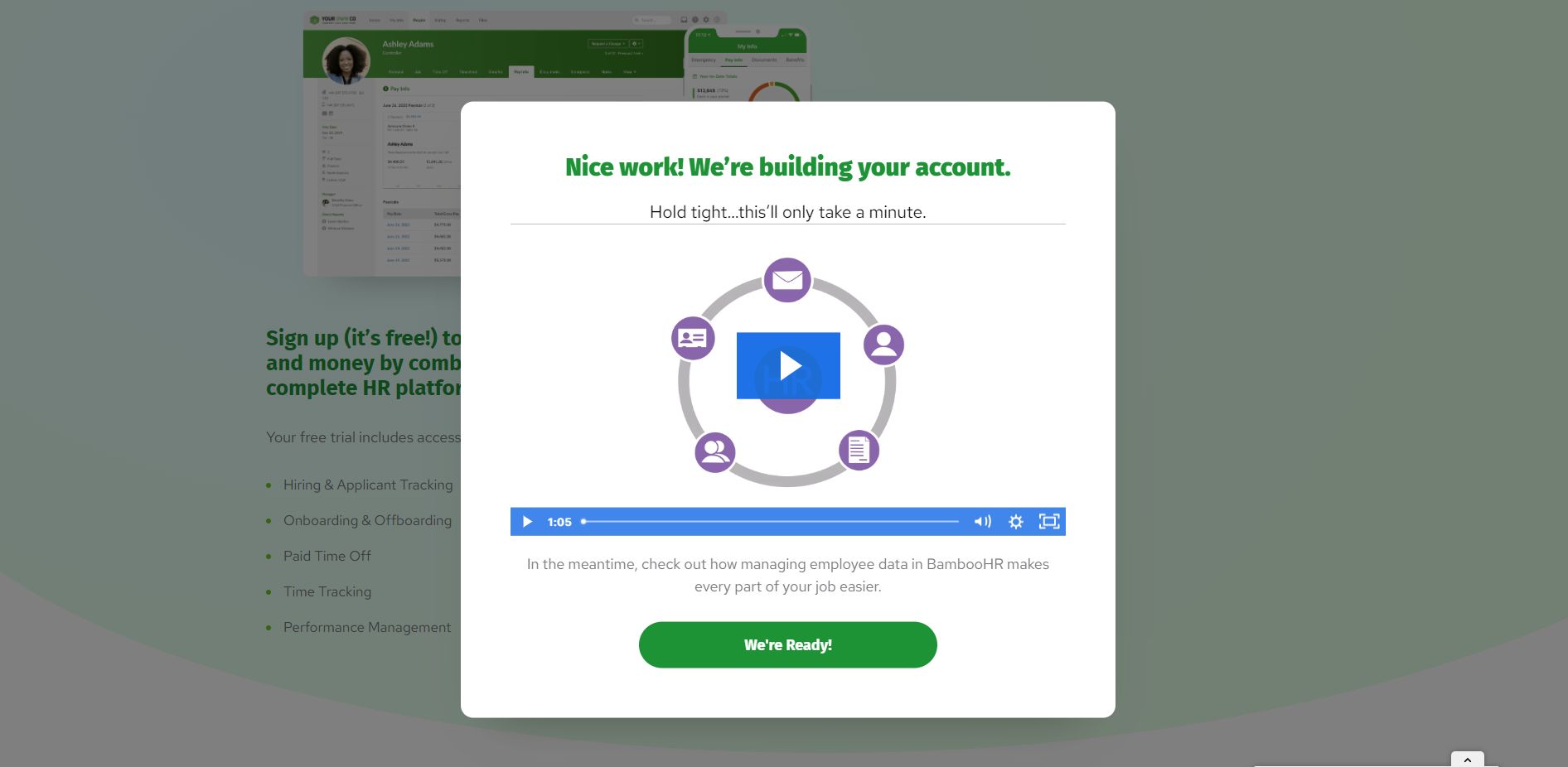
From here, follow the subsequent instructions (provide a strong password, accept terms and conditions) to finish your sign up process using the email and password you supplied earlier.
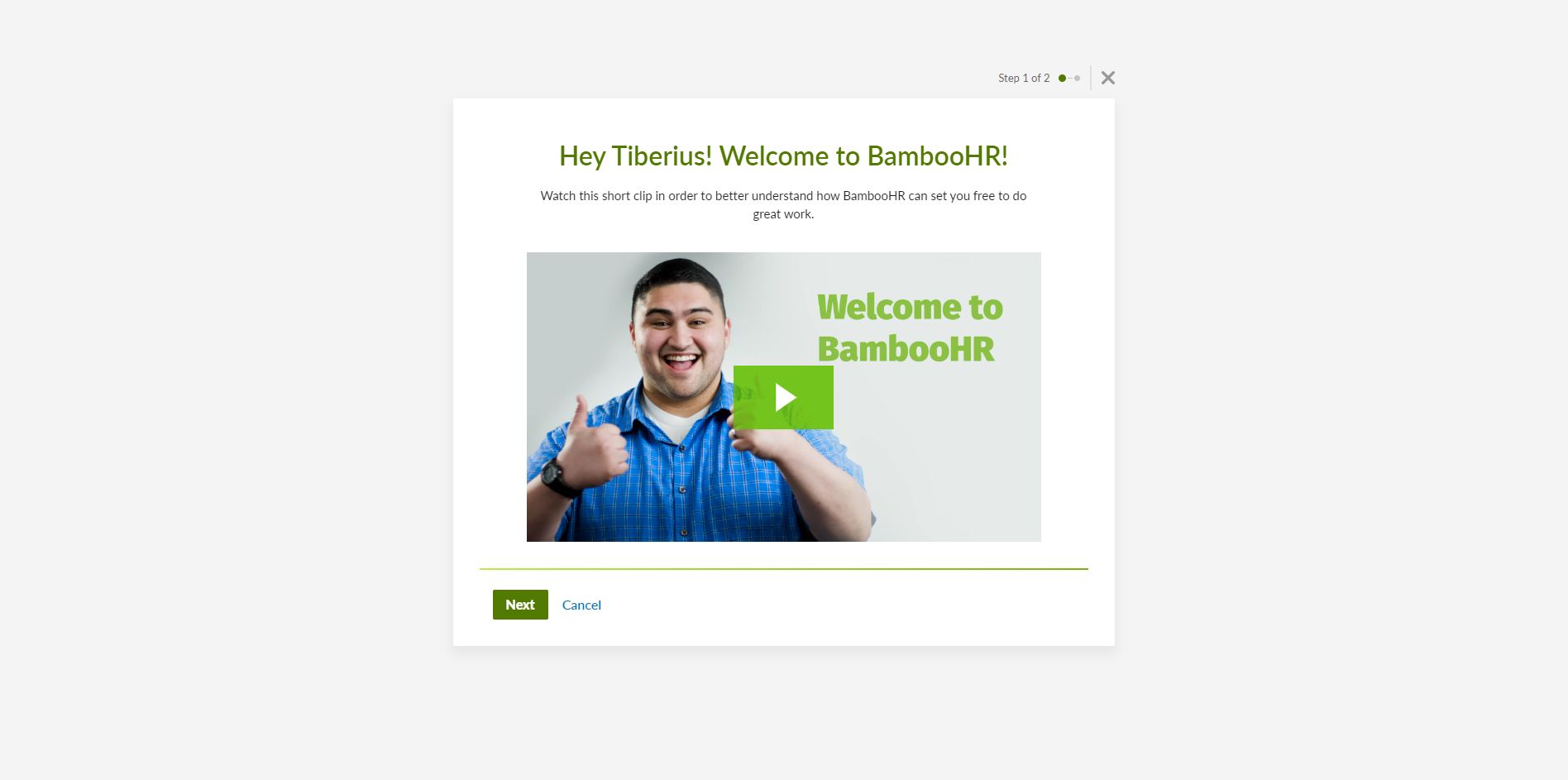
When you see the following screen, click next.
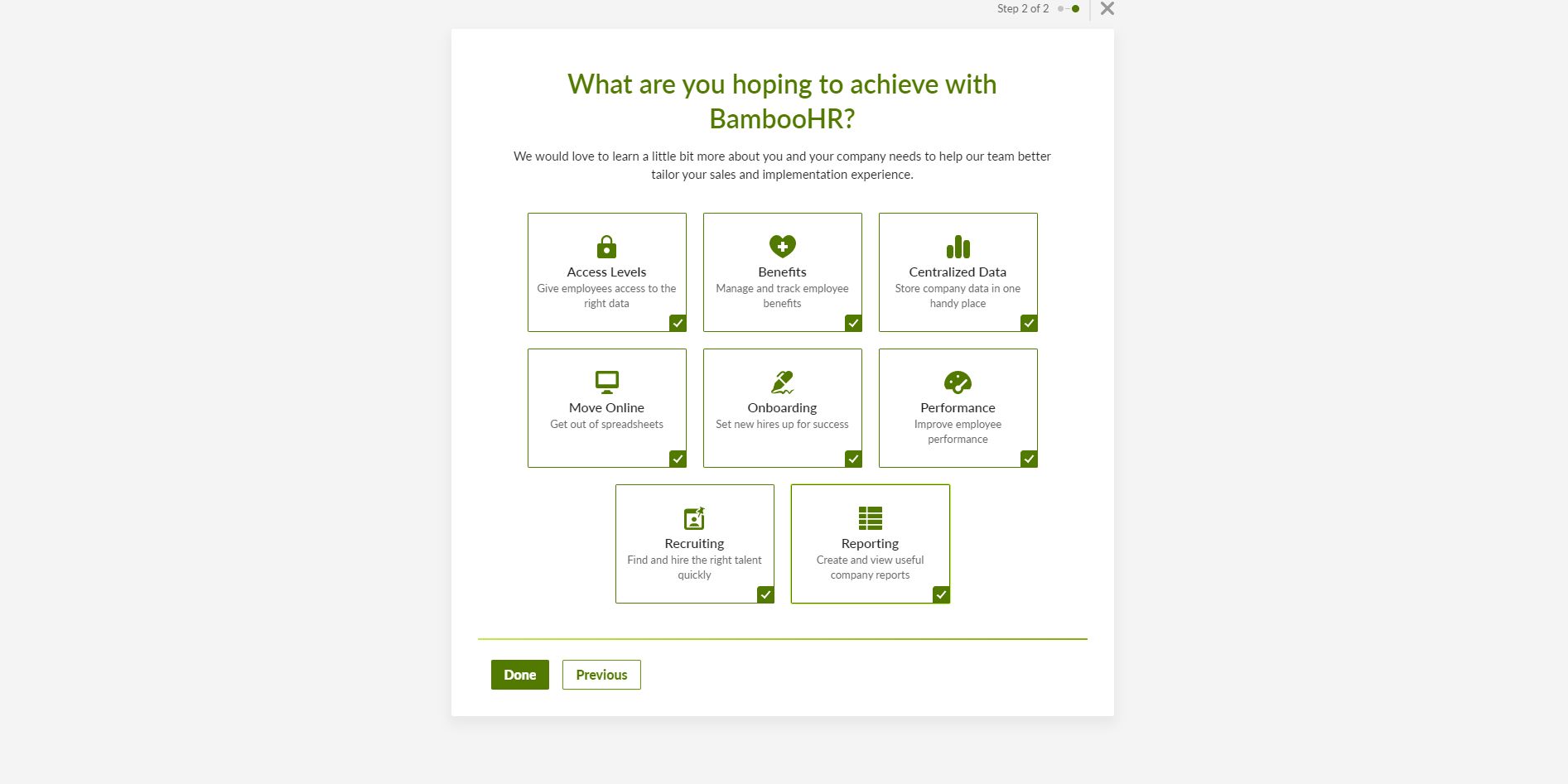
Check all of these or at least what you need and click“Done” button.
If you have followed the necessary steps of signing up for your BambooHR account, you should land here:

How to create a BambooHR API key
Once you have a BambooHR account, you can create an API key to access the data associated with your BambooHR API. To create the API key, log in to your BambooHR account and navigate to the “API Keys” page in the “Account” section.

Click on the “Add a New Key” button.
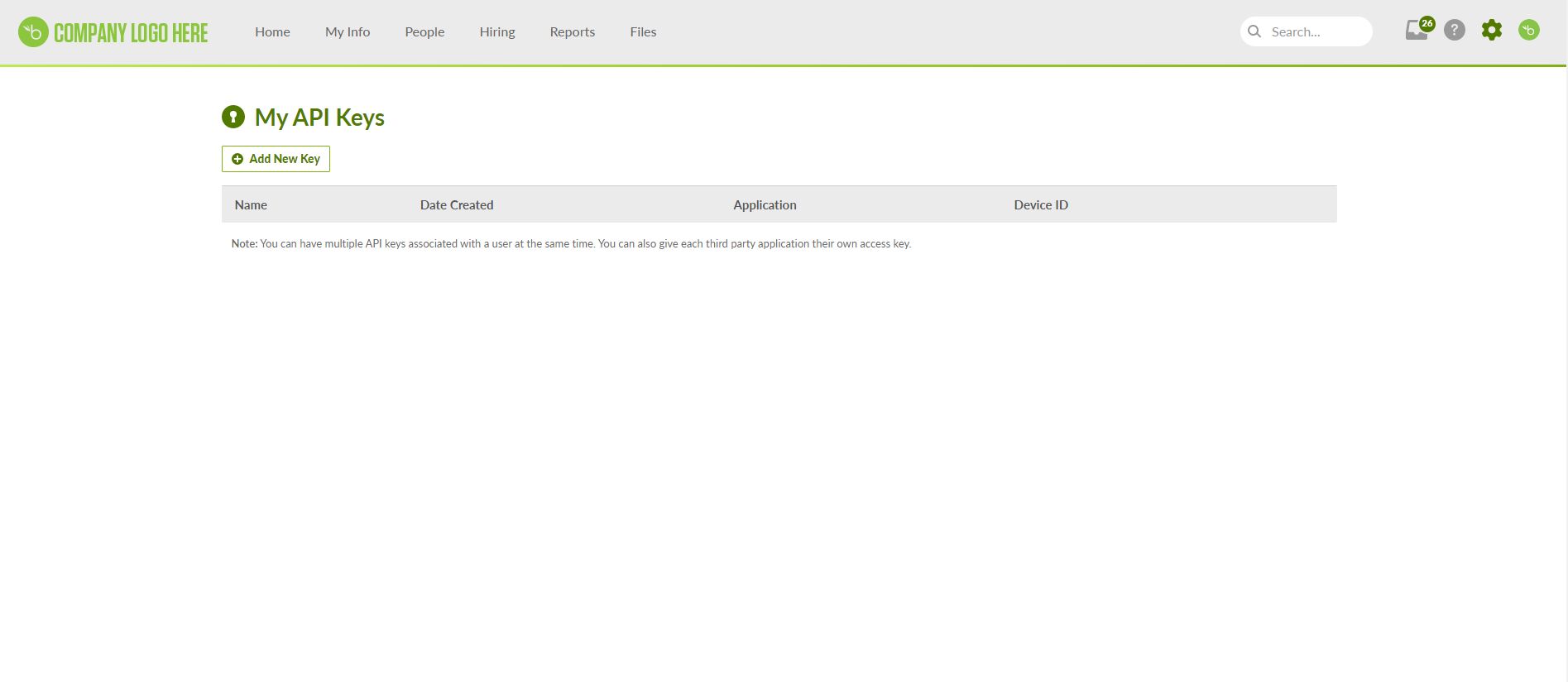
You will need to provide a name for your API key, which will help you identify it later and click “Generate Key”.

A key will be displayed. You can copy it and save it somewhere safe. After successfully saving your key, click “Done”.

After successfully saving your API key, your API key would be listed under My API Keys:
.jpg)
In the next section, we will discuss multiple use cases for the the BambooHR API.

Get employee data using BambooHR API
BambooHR allows you to access and update employee data for individual employees as well as in bulk.
Retrieve All Employees Information
import requests

subdomain = 'syncflowsolutions'

# Replace {subdomain} with your BambooHR credentials
url = f"https://api.bamboohr.com/api/gateway.php/{subdomain}/v1/employees/directory"

headers = {
    "Accept": "application/json",
    "Authorization": "Basic ZTgyOGU3YzUyNGRlNmNkMmMxZTc0YWUxNDY1YmI0NDQ5NmY0YjVhNTpKRDg2UXA4ZS4qTHNKUXA="
}

response = requests.get(url, headers=headers)

if response.status_code == 200:
    employee_data = response.json()
    # Do something with the employee data
    print(employee_data)
else:
    print('Error retrieving employee data')
The code snippet above will retrieve records for all employees from the feature called directory.
Pitfall to avoid
One common pitfall to avoid here involves the use of the Company Directory feature. While this feature can be managed and disabled by individual companies in their account settings, it can lead to issues when calling the corresponding endpoint. This is because the feature may be disabled, or its behavior may vary across different companies.
Instead, the recommended approach is to use the “request a custom report” API to retrieve bulk employee data, which is a more reliable and consistent method.
Retrieve information for one employee
To retrieve information about a specific employee, you can make a GET request to this endpoint:
https://api.bamboohr.com/api/gateway.php/{companyDomain}/v1/employees/
where {id} is the ID of the employee you want to retrieve and {companyDomain} is the company subdomain.
This endpoint allows you to retrieve employee data by specifying a set of fields. It is ideal for retrieving basic employee information, including current values for fields that are part of a historical table such as job title or compensation information.
Extract data from BambooHR API using Python
 import requests
# Set the API URL and headers
subdomain = 'syncflowsolutions'
# Replace {subdomain} with your BambooHR credentials
id = 0
url = f"https://api.bamboohr.com/api/gateway.php/{subdomain}/v1/employees/{id}/"
headers = {
    "Accept": "application/json",
    "Authorization": "Basic ZTgyOGU3YzUyNGRlNmNkMmMxZTc0YWUxNDY1YmI0NDQ5NmY0YjVhNTpKRDg2UXA4ZS4qTHNKUXA="
}
# Specify the fields to retrieve and only retrieve current data
params = {
    "fields": "firstName,lastName",
    "onlyCurrent": "true"
}
# Send the GET request and print the response
response = requests.get(url, headers=headers, params=params)
if response.status_code == 200:
    employee_data = response.json()
    print(employee_data)
else:
    print("Error retrieving employee data")
This retrieves the data for the employee with ID 0. Make sure to replace {subdomain} with your actual BambooHR credentials.
How to create a new employee with BambooHR API
To create a new employee, you can make a POST request:
https://api.bamboohr.com/api/gateway.php/{companyDomain}/v1/employees/
The endpoint allows for the addition of a new employee. It is mandatory to provide at least the first and last names of the new employee. Upon successful creation, the ID of the newly created employee can be found in the response’s Location header.
Create a new employee with BambooHR API using Python
import requests
subdomain = 'syncflowsolutions'
# Replace {subdomain} with your BambooHR credentials
url = f"https://api.bamboohr.com/api/gateway.php/{subdomain}/v1/employees/"
payload = {
    "firstName": "Tiberius",
    "lastName": "Mairura"
}
headers = {
    "content-type": "application/json",
    "authorization": "Basic ZTgyOGU3YzUyNGRlNmNkMmMxZTc0YWUxNDY1YmI0NDQ5NmY0YjVhNTpKRDg2UXA4ZS4qTHNKUXA="
}
try:
    response = requests.post(url, json=payload, headers=headers)
    response.raise_for_status()
    print(response.text)
except requests.exceptions.HTTPError as error:
    print(f"HTTP error occurred: {error}")
except Exception as error:
    print(f"An error occurred: {error}")
This creates a new employee with the specified data. Make sure to replace `{subdomain}` with your actual BambooHR credentials.
Update employee data from BambooHR API using Python
To update an existing employee’s data, you can make a PUT request to the `/employees/{id}` endpoint with a JSON payload containing the updated employee data.
Here’s an example using Python requests library:
import requests
id = 134
url = f"https://api.bamboohr.com/api/gateway.php/syncflowsolutions/v1/employees/{id}/"
headers = {
    "Content-Type": "application/json",
    "Authorization": "Basic ZTgyOGU3YzUyNGRlNmNkMmMxZTc0YWUxNDY1YmI0NDQ5NmY0YjVhNTpKRDg2UXA4ZS4qTHNKUXA="
}
payload = {
    "firstName": "Tiberius .O",
    "lastName": "Mairura"
}
response = requests.post(url, json=payload, headers=headers)
if response.status_code == 200:
    print('Employee updated successfully!')
else:
    print(f"Error: {response.status_code} - {response.text}")
This updates the data for the employee with ID 134 with the specified data. Make sure to replace {subdomain} with your actual BambooHR credentials.
How to handle pagination
Pagination for BambooHR API is case-specific.
- BambooHR does not support pagination in the employee directory API, so when retrieving employee data, the BambooHR API will return all the results in one go. The default number of records per response is 50, but you can specify a different number of records using the limit query parameter.
- However, for some other APIs in BambooHR, such as the time-off requests and time-off balances APIs, pagination is supported. To handle pagination, you can use the page and per_page query parameters. The page parameter specifies which page of results to return, and the per_page parameter specifies the number of results per page.
To navigate to the next page of results, you can use the next URL provided in the Link header of the response.
FAQs
Does BambooHR have an open API?
Yes. BambooHR offers an open REST API that allows developers to programmatically access and manage employee data, time-off records, company reports, and HR events. The API uses HTTP Basic Auth with an API key and supports JSON and XML response formats (JSON is the default when requested via the Accept header). The BambooHR API is available to all BambooHR customers at no additional cost. Knit’s unified HRIS API includes BambooHR alongside 100+ other HR platforms, normalising BambooHR’s data model into a consistent schema so SaaS products don’t need to build against BambooHR’s endpoints directly.
How do I generate an API key in BambooHR?
To generate a BambooHR API key: log in to your BambooHR account, click your profile icon in the top right, select “API Keys”, then click “Add New Key” and give it a name. The key is displayed once – copy it immediately as it won’t be shown again. Use the API key as the username in an HTTP Basic Auth header (the password field can be anything, conventionally “x”). API keys are scoped to the account that generates them, so each customer connection requires a separate key. For SaaS teams managing multiple customer connections, Knit handles API key provisioning and rotation across all BambooHR customer accounts automatically.
How do I authenticate with the BambooHR API?
The BambooHR API uses HTTP Basic Auth with an API key instead of OAuth. Generate an API key in BambooHR under your profile icon → API Keys, then pass it as the username in a Basic Auth header with any string (e.g. ‘x’) as the password. Your base URL is https://api.bamboohr.com/api/gateway.php/{company_domain}/v1/. Every request must include the header Accept: application/json to receive JSON responses instead of XML.
How do I get all employees from the BambooHR API?
Use the Employee Directory endpoint: GET /v1/employees/directory – this returns a list of all active employees with basic fields. For richer data including custom fields, use the Custom Report endpoint: POST /v1/reports/custom with a JSON body specifying the fields you want. BambooHR does not paginate employee lists – all employees are returned in a single response, so for large organisations the response can be substantial.
What employee fields are available through the BambooHR API?
BambooHR uses a field-request model – you must specify which fields you want returned rather than receiving all fields by default. Standard fields include: id, firstName, lastName, workEmail, jobTitle, department, division, location, employmentHistoryStatus, hireDate, terminationDate, supervisor, mobilePhone, and payRate. The full list of available field IDs is returned by GET /v1/meta/fields.
How do I access custom fields in the BambooHR API?
Custom fields in BambooHR are referenced by their field ID, retrieved via GET /v1/meta/fields – this returns all available fields including custom ones, each with a unique numeric ID. Include these custom field IDs in the fields parameter of your employee or report request. Custom field availability varies per BambooHR account, so field IDs must be fetched per customer rather than hardcoded – a key challenge when building multi-tenant integrations against BambooHR.
What are the BambooHR API rate limits?
BambooHR does not publish exact rate limit thresholds officially, but enforces them per API key. In practice, the limit is approximately 100 requests per minute per API key — requests exceeding this return a 503 Service Unavailable (not the standard 429). Always implement exponential backoff and treat 503 responses as a rate limit signal, not a server error. For teams consuming BambooHR data through Knit, rate limit handling is managed automatically – Knit monitors request pacing per customer connection and spaces calls to stay within BambooHR’s thresholds.
Does BambooHR support webhooks?
BambooHR has limited native webhook support – it can send notifications for certain events (such as time-off requests and employee data changes) via its Webhooks feature, but coverage is narrower than most modern HRIS platforms and configuration is done within the BambooHR admin UI rather than programmatically via API. For SaaS products that need reliable, real-time event delivery across all BambooHR data types, Knit provides virtual webhooks – detecting BambooHR data changes and pushing normalised event payloads to your endpoint, covering employee creates, updates, and terminations that BambooHR’s native webhooks may not surface.
How do I fetch only recently changed employee data from BambooHR?
Use the Changed Employees endpoint: GET /v1/employees/changed?since={ISO8601_timestamp} – this returns only employees whose records have changed since the given timestamp, avoiding the need to re-fetch all employees on every sync run. For table data (job history, compensation changes), use GET /v1/employees/changed/tables/{table_name}?since={timestamp}. This incremental approach is essential for production integrations where polling all employees repeatedly would be slow and risk rate limiting.
How do I get employee data from the BambooHR API using Python?
Use Python’s requests library with HTTP Basic Auth. Set your company domain and API key, then call: requests.get('https://api.bamboohr.com/api/gateway.php/{company}/v1/employees/directory', auth=(api_key, 'x'), headers={'Accept': 'application/json'}). For specific employees with chosen fields: GET /v1/employees/{id}?fields=firstName,lastName,jobTitle,workEmail. Parse the JSON response with response.json() – the directory returns an employees array, individual lookups return a flat object.
What are common challenges when integrating with the BambooHR API?
Key challenges include: the field-request model requires knowing which field IDs to request upfront, and custom field IDs vary per customer account; rate limiting returns 503 instead of the standard 429, requiring custom error handling; BambooHR has no native webhooks, so real-time sync requires polling the Changed Employees endpoint; and the API returns XML by default – you must explicitly set Accept: application/json. For multi-tenant SaaS products, managing per-customer API keys and field mapping across accounts adds significant complexity. Knit normalises BambooHR data into a standard employee model, handling field mapping, auth, and incremental sync across customers.
Get started with BambooHR API
In conclusion, the BambooHR API is a valuable tool for any organization looking to streamline their HR and employee data management processes. By leveraging the power of the API, organizations can improve their operations, reduce manual data entry, and gain deeper insights into their workforce.
If you need to quickly get access to BambooHR data, Knit unified API can make it easier for you. Knit is a unified API that connects 40+ HR and ATS APIs via a single, unified API. All you need to do is to integrate once with Knit, and all the authentication, authorization and integration maintenance will be done by Knit.
Talk to our sales team to learn more or get you free API key today

Decoding product and generating users with valuable content